

Make Integration
Integrate HITL.sh with Make.com (formerly Integromat) to create sophisticated automation scenarios with visual workflow design and real-time webhook triggers.Before configuring Make, install the HITL.sh mobile app (App Store | Google Play) since it’s an integral part of the setup.
Why Use Make with HITL.sh?
Visual Scenario Builder
Design complex automation with an intuitive drag-and-drop visual interface
Real-Time Webhooks
Unique webhook trigger module for instant notifications when reviews complete
Advanced Data Mapping
Powerful data transformation and mapping between services
1,000+ App Integrations
Connect with Google Workspace, databases, CRMs, and countless other services
Available Modules
HITL.sh provides four powerful modules in Make.com:Create Request
Create Request
Submit content for human review:Use Cases:
- Content moderation workflows
- Approval processes
- Quality assurance checks
- Escalation routing
- Loop ID
- Request Text
- Response Type
- Response Config
- Processing Type
- Priority
- Timeout
- Context
- Callback URL
Get Request Status
Get Request Status
Retrieve current status and response data:Use Cases:
- Polling for completed reviews
- Status monitoring
- Progress tracking
- Data synchronization
- Request ID
- Status (pending, completed, timeout, cancelled)
- Response data
- Reviewer information
- Timestamps
Make an API Call
Make an API Call
Direct access to HITL.sh API endpoints:Use Cases:
- Advanced custom operations
- Loop management
- Bulk operations
- Custom integrations
- Full API access
- Custom headers
- Query parameters
- Request body customization
Watch Responses (Webhook)
Watch Responses (Webhook)
Real-time trigger when requests complete:Use Cases:
- Instant notification workflows
- Real-time dashboards
- Immediate action routing
- Live status updates
- No polling required
- Instant execution
- Lower operation usage
- Better performance
Module Comparison
Choose the right module for your use case:Setting Up Authentication
Connect your HITL.sh account to Make:1
Add HITL.sh Module
Add any HITL.sh module to your scenario
2
Create Connection
Click “Add” next to the Connection field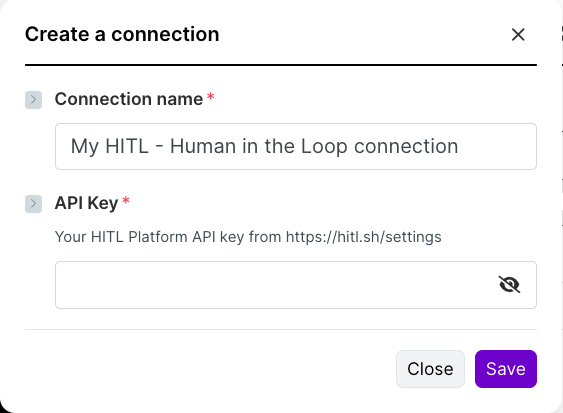
3
Enter API Key
- Go to your HITL.sh dashboard
- Navigate to Settings → API Keys
- Copy your API key
- Paste it into the Make connection dialog
4
Save & Test
Save the connection and test with a simple scenario
Module Configuration
Create Request Module
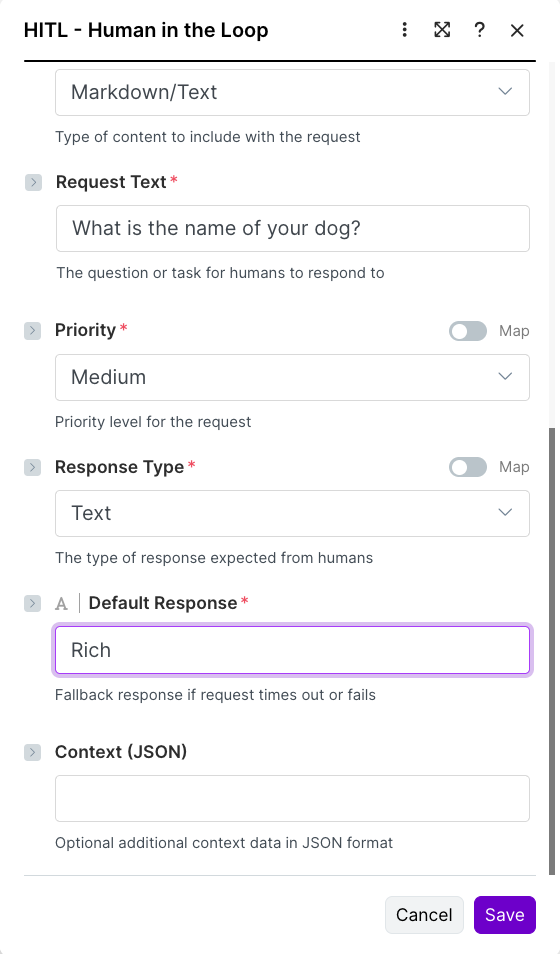
string
required
Your HITL loop identifier from the dashboard
string
required
Content or question for reviewers to evaluate
select
required
text | single_select | multi_select | rating | number | boolean
json
required
JSON configuration for the response type
select
time-sensitive (default) | deferred
select
low | medium (default) | high | critical
number
60-86400 seconds (required for time-sensitive)
varies
Fallback value matching response type format
json
Additional metadata as JSON object
Get Request Status Module
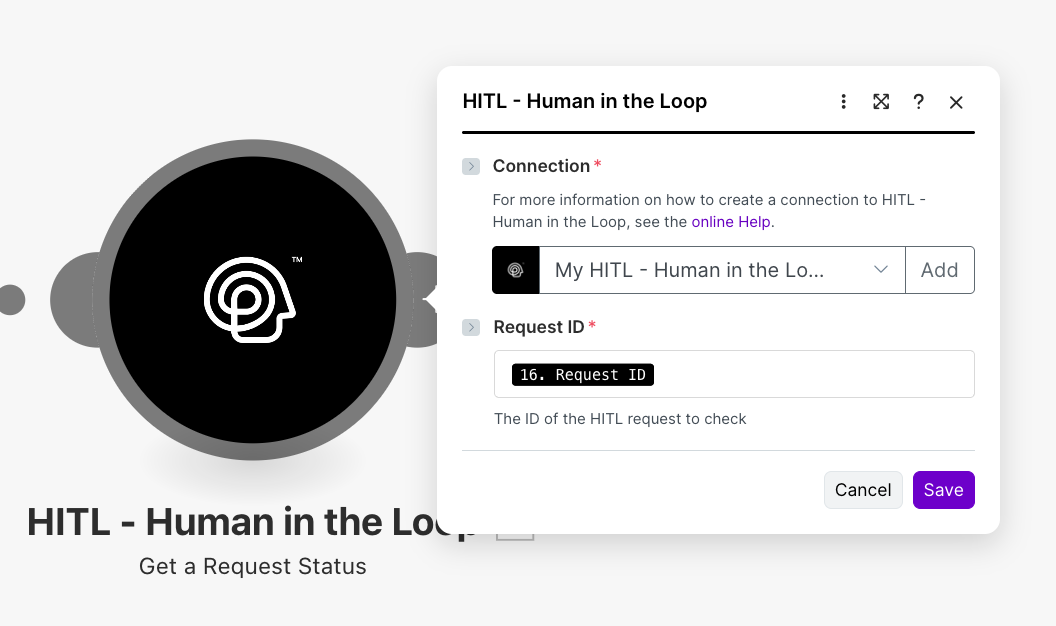
string
required
The ID returned when creating a request
Make an API Call Module
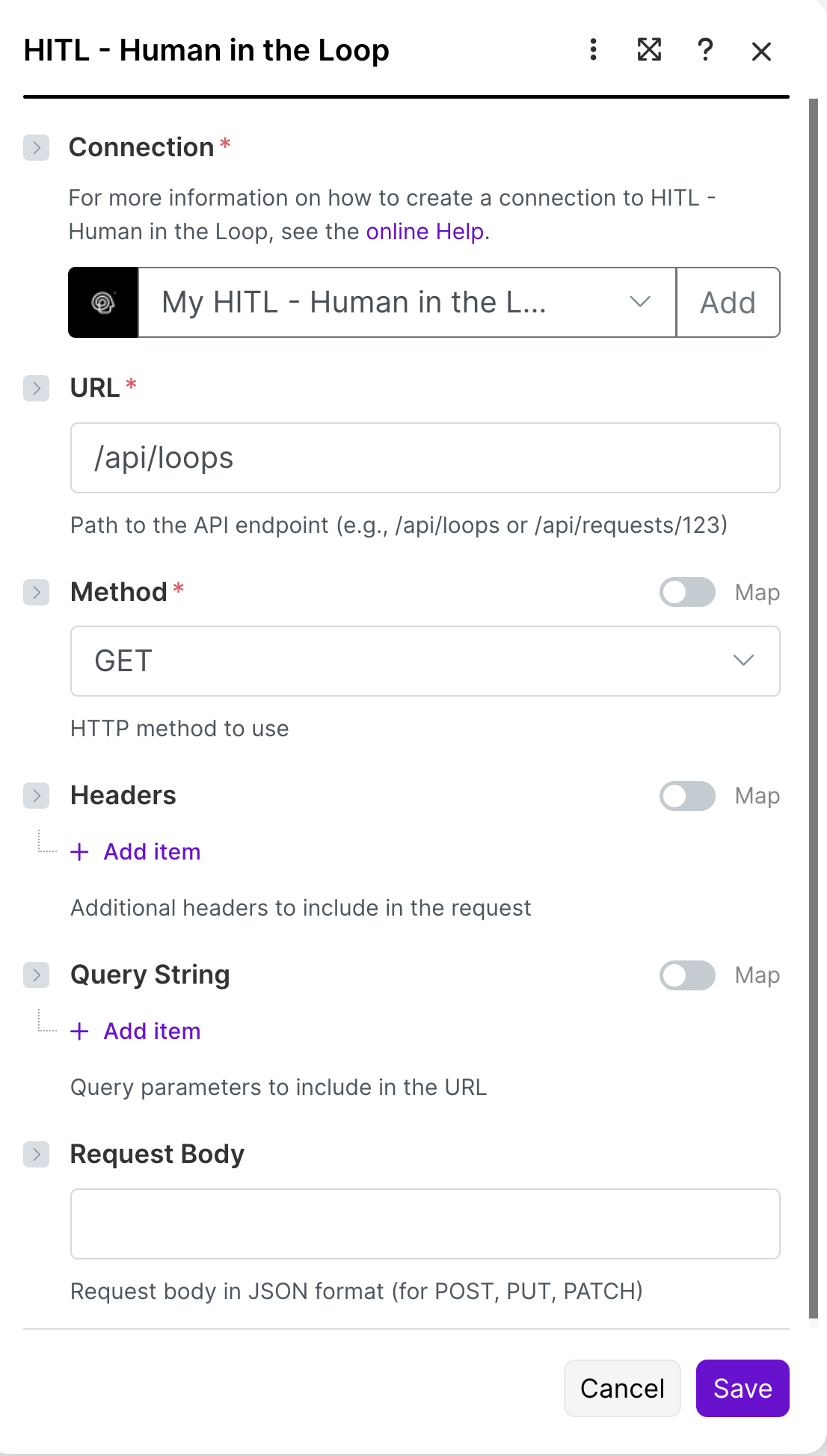
- Custom API operations
- Loop management (create, update, delete)
- Batch operations
- Advanced queries
Watch Responses Module (Webhook Trigger)

1
Add Webhook Module
Add “HITL.sh > Watch Responses” as your scenario trigger
2
Copy Webhook URL
Make generates a unique webhook URL for this scenario
3
Configure in HITL Request
When creating requests, include the webhook URL as callback_url
4
Automatic Triggering
Scenario automatically runs when reviewer completes the request
Supported Response Types
Text Response
Single Select
Multi Select
Rating
Number
Boolean
Example Scenarios
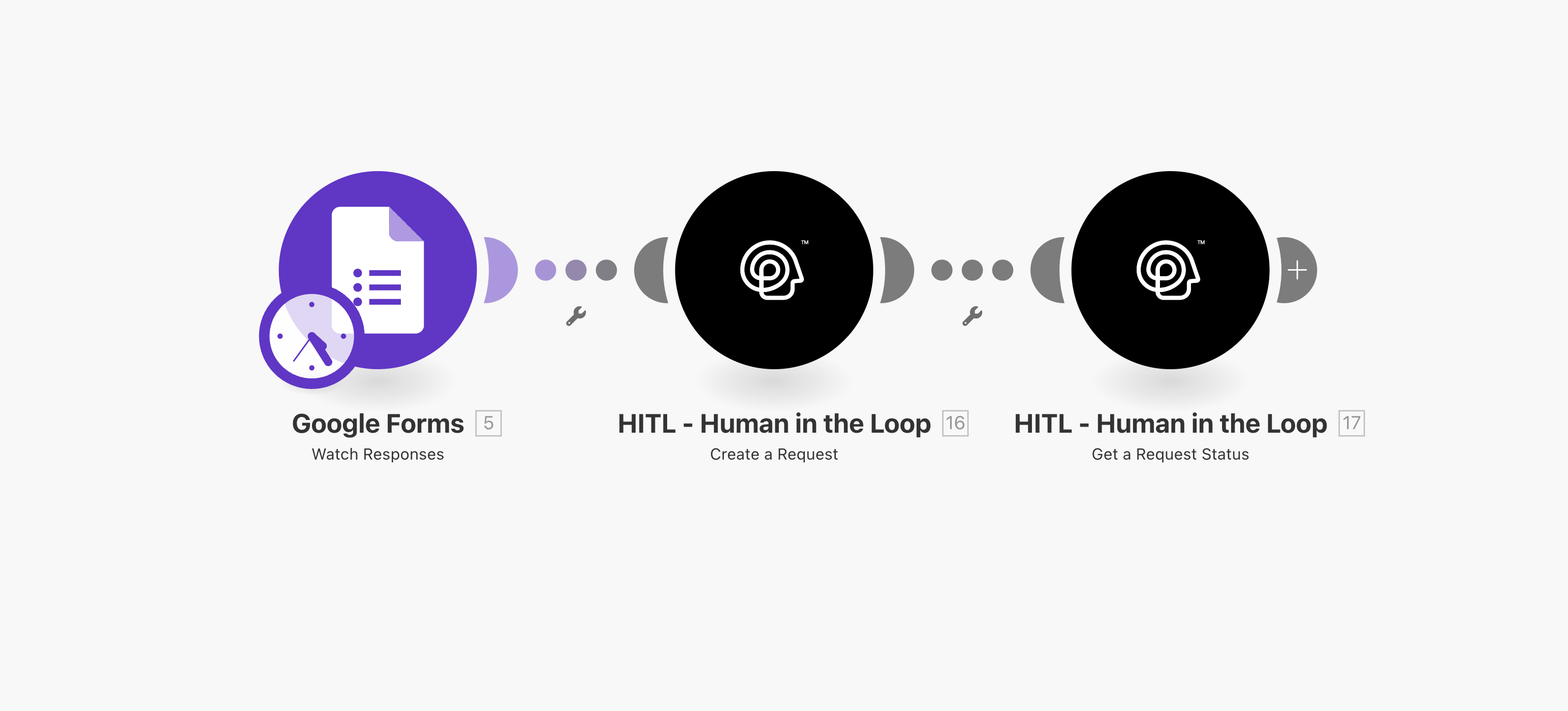
Google Forms Approval Workflow
Scenario Flow:- Trigger: New Google Forms Response
- Filter: Check if requires approval
- HITL Create Request: Send for human review
- Router: Route based on response
- Approved → Update Google Sheet, Send email
- Rejected → Archive response, Notify submitter
- Escalate → Create ticket, Notify manager
Real-Time Content Moderation
Scenario Flow (using Webhook):- Trigger: HITL Watch Responses (Webhook)
- Switch: Based on response_data
- “approve” → Post to social media, Log to database
- “reject” → Send rejection notice, Archive content
- “flag” → Create moderation ticket, Alert team
Customer Support Escalation
Scenario Flow:- Trigger: New Zendesk Ticket
- Filter: Priority = High or Urgent
- HITL Create Request: Route to support manager
- Wait for Response: Poll status every 5 minutes
- Action: Based on decision
- Assign to specialist team
- Escalate to executive
- Resolve with template
Advanced Techniques
Data Transformation
Map form data to HITL request format:Conditional Routing
Use routers to handle different response types:Error Handling
Add error handlers to your scenarios:1
Enable Error Handling
Right-click any module → Add error handler
2
Configure Fallback
Choose action: Ignore, Resume, Commit, or Rollback
3
Add Notification
Send error notifications to your team
Best Practices
Use Webhooks
Prefer Watch Responses over polling Get Status for better performance
Data Validation
Validate data before sending to HITL to prevent errors
Error Handling
Always add error handlers to critical modules
Test Thoroughly
Run scenarios with test data before activating
Troubleshooting
Connection Failed
Connection Failed
Solution:
- Verify API key is correct
- Check API key permissions
- Regenerate API key if needed
- Test connection with simple request
Invalid Response Config
Invalid Response Config
Solution:
- Verify JSON syntax is correct
- Match response_config to response_type
- Check required fields are present
- Review example configurations above
Webhook Not Triggering
Webhook Not Triggering
Solution:
- Verify webhook URL in callback_url
- Check webhook is active in Make
- Test with manual webhook call
- Review Make scenario execution logs
Request Timeout
Request Timeout
Solution:
- Increase timeout_seconds value
- Verify loop has active reviewers
- Check notification settings
- Consider using deferred processing
Pricing & Operations
Each module execution counts as one operation. Using webhooks (Watch Responses) is more efficient than polling (Get Status) as it only triggers when there’s actual data.
Next Steps
n8n Integration
Explore n8n for open-source automation
Zapier Integration
Learn about Zapier for simpler workflows
API Reference
View complete API documentation
Community
Join Discord for scenario templates and support