

How it works
1
Build a workflow
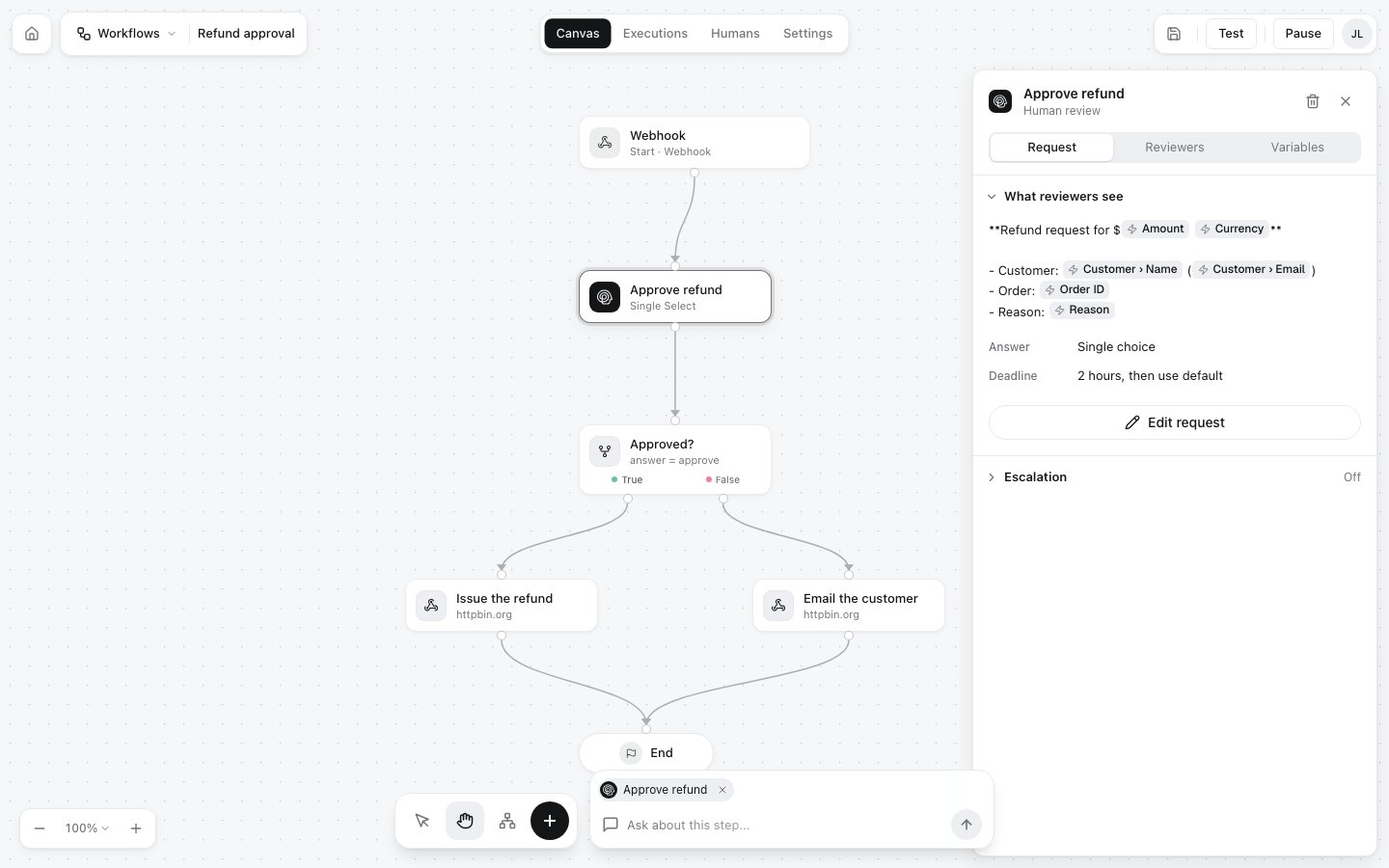
In the editor at my.hitl.sh, add a trigger and a review step: the question, the kind of answer you want (approve or deny, pick an option, a number, edited text, …) and a deadline. Add AI, condition and action steps around it if you like.
2
Invite the reviewers
Invite people by email, or share the workflow’s join code, QR code or link. They answer in the HITL app for iOS and Android, the web inbox or the Telegram mini app.
3
4
Get the answer
The execution moves from
running to pending_review while it waits for a person, then to completed with their decision. Read it with GET /executions/:id?wait=30, have it POSTed to a callback_url, or subscribe to execution.finished.Start here
Quickstart
From nothing to a person approving your first run, in about five minutes.
Set up your agent
Paste one prompt into Claude Code, Codex or Cursor and let it connect itself.
Workflows
Triggers, steps, review steps and executions.
API reference
Run workflows and follow their runs over REST.
Ways to connect
MCP
Claude, Cursor and any MCP client
CLI
npx @hitl-sh/cliREST API
Any language
n8n
Community node
Zapier
Run a Workflow action
Make
Verified app
Coming from HITL version 1? Read Moving from HITL version 1.