

Moving from HITL version 1
In HITL version 1, you created a loop, invited people to it, and sent requests to it from code. HITL now organises everything around workflows: a Start step, a Review step and an End step that you can extend in the workflow editor. Loops you made in HITL version 1 are not deleted or changed. You choose when to move each one, and moving takes a few seconds.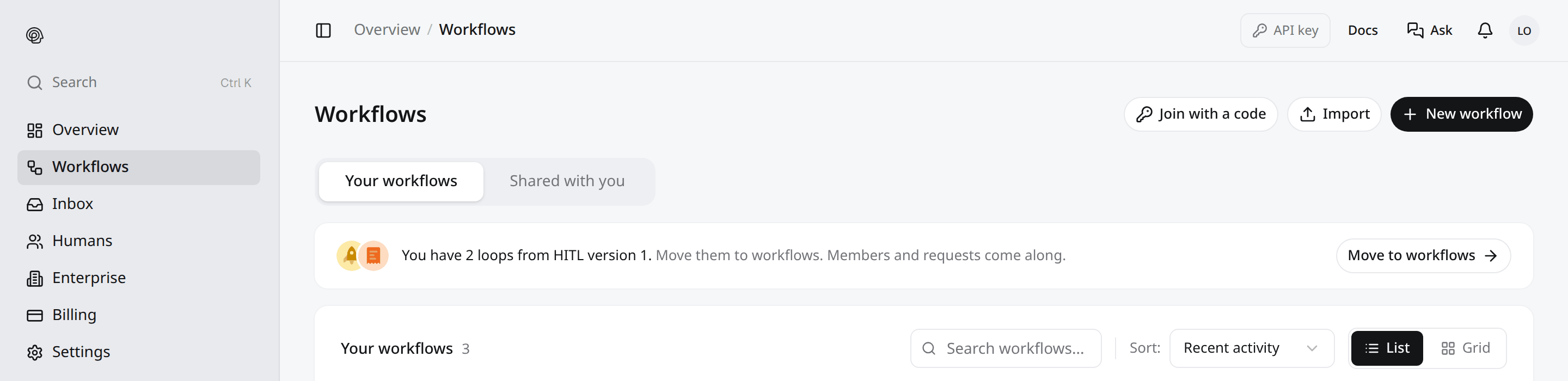
What happens when you move a loop
Each loop becomes one workflow that sends its requests to the same people:
The new workflow is Live straight away and looks like this: Start (webhook) → Review → End. A loop with no requests gets an Approve / Deny review with a 24 hour deadline.
Nothing about the loop itself changes. Members, roles, pending invites and the invite code stay exactly as they were, and you can keep sending requests to it with the API.
Move your loops in my.hitl.sh
1
Open Workflows
Sign in to my.hitl.sh and open Workflows. On the Your workflows tab, a banner says how many loops you have from HITL version 1. The banner only appears for loops you own that are not already used by a workflow.
2
Click Move to workflows
The Bring your loops over dialog lists each loop with its member count, request count and how many requests are still waiting.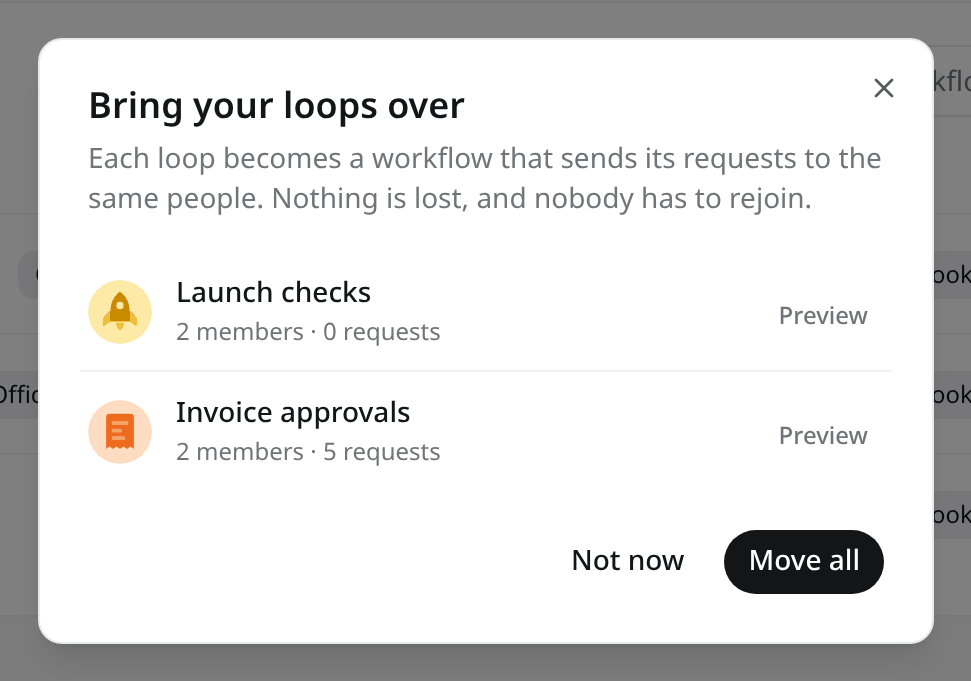
3
Preview a loop (optional)
Click Preview on a row to compare both sides before you move it. The left side shows the loop In HITL version 1: its members, request totals, the answer types it asked for, where requests were sent from, and the latest requests. The right side shows it As a workflow: the Start, Review and End steps it will get, and what carries over.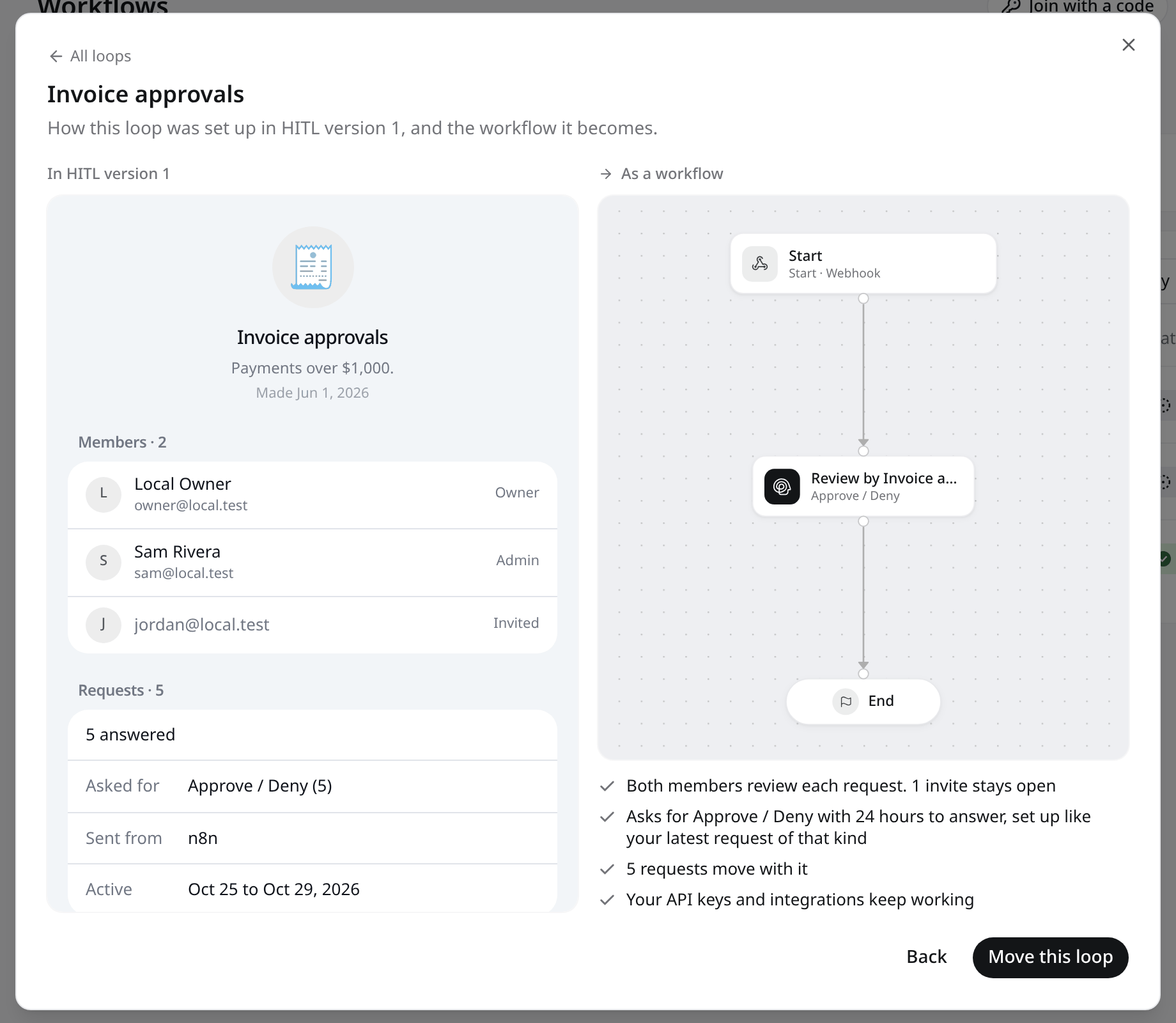
4
Move all
Click Move all to move every listed loop. If a loop fails, its row shows Try again. When everything has moved, the dialog says Your loops are workflows now and the workflows appear in your list.
After the move
- Reviewers keep answering in the HITL app exactly as before. Requests now show the workflow’s name.
- Your code does not need to change. If you want to use the new features (AI steps, conditions, actions, routing, voice calls), open the workflow in the editor and add steps, then switch your integration to the workflow’s webhook URL when you are ready.
- Answer settings now live on the Review step. Requests you still send to
loop_idwith the API bring their ownresponse_typeandresponse_config, as in HITL version 1.
Move loops with the API
The portal uses three endpoints on the HITL app API (https://api.my.hitl.sh/v1 on preview). They take a signed-in user’s session token, not an API key, and only the loop’s owner can call them.
GET /v1/mobile/migration/loops
GET /v1/mobile/migration/loops
Lists loops you own that no workflow uses yet, newest first, at most 100. Deleted loops and unfinished drafts are left out. Always returns
200; an empty list is { "data": { "loops": [] } }.Each row has id, name, description, icon, icon_type, member_count, request_count, pending_count, created_at, and workflow_icon (the icon the workflow will get).GET /v1/mobile/migration/loops/:loopId
GET /v1/mobile/migration/loops/:loopId
Returns the preview of one loop and writes nothing:
loop: name, description, icon, status, created date andmembers(owner first, then members, then pending invites)requests:total,by_status,by_platform,response_types(most used first), the 5 newest inrecent,first_atandlast_atworkflow: thenodesandedgesthe move would create, or the workflow the loop already became (already_converted: true)
403 if you are not the owner and 404 for a deleted or unknown loop.POST /v1/loops/:loopId/convert-to-workflow
POST /v1/loops/:loopId/convert-to-workflow
Moves one loop. Send an empty JSON body
{}.Calling it twice for the same loop is safe: the second call returns the same workflow with
already_converted: true.Getting help
- Join our Discord community
- Email team@hitl.sh
Next Steps
Workflows
How workflows, steps and executions fit together
Workflow Editor
Add AI, conditions and actions to a moved workflow
Review Step
Choose reviewers, routing and channels
Humans
Manage the people who answer