

Answer a request
1
Open To review
Requests waiting for you, newest first. Each row shows the workflow, the question’s first line, who or what sent it and the time left before its deadline. Filter by Workflow, Priority or Type, or search. Under Source, choose Your workflows or Shared with you.
2
Pick one
The question opens on the right with its details. Use J and K to move through the list.
3
Respond
Under Your response, choose or type your answer and click Submit response. The time left is shown above it.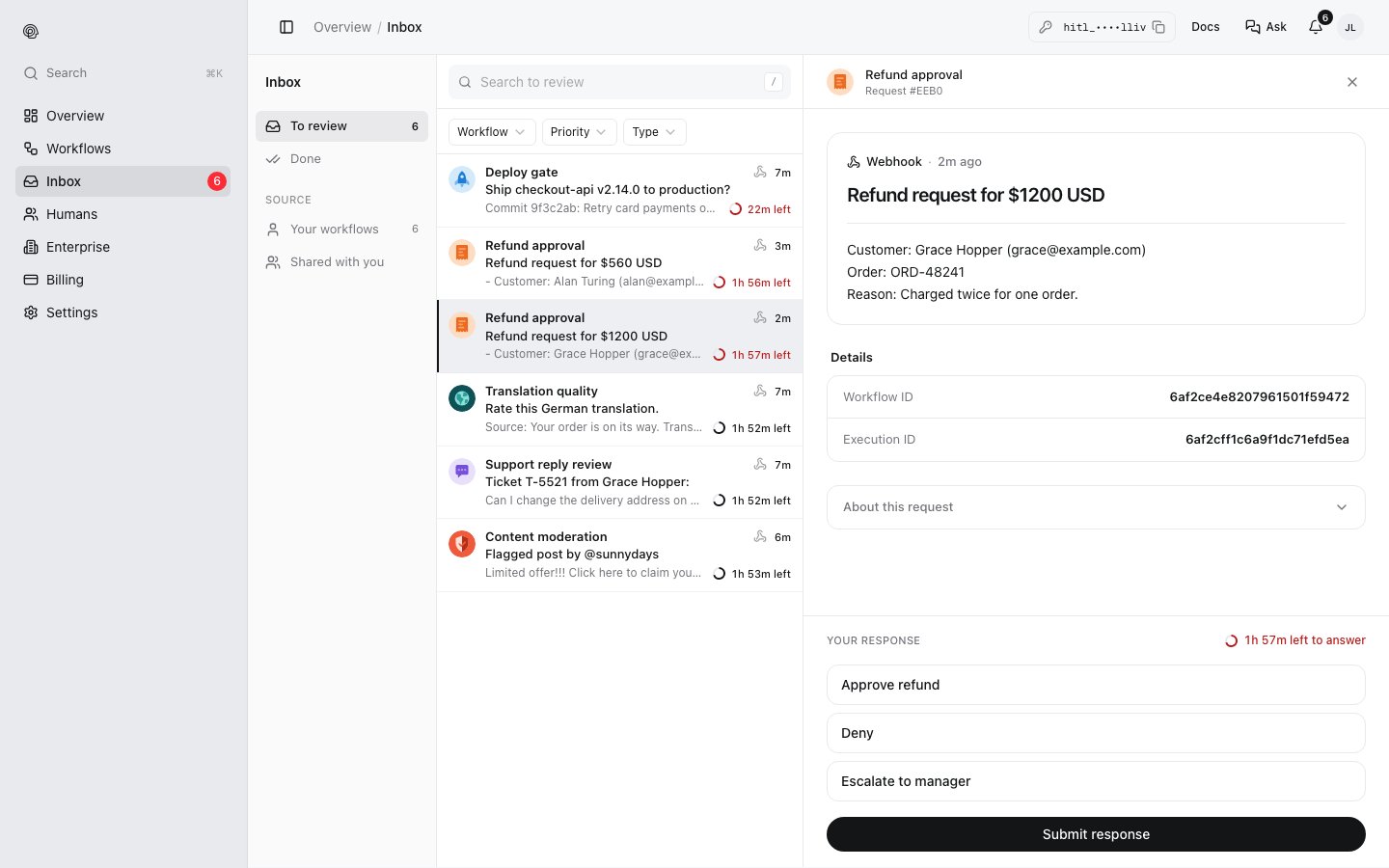
What you answered
Done lists requests that have been answered, with the answer, who gave it and when.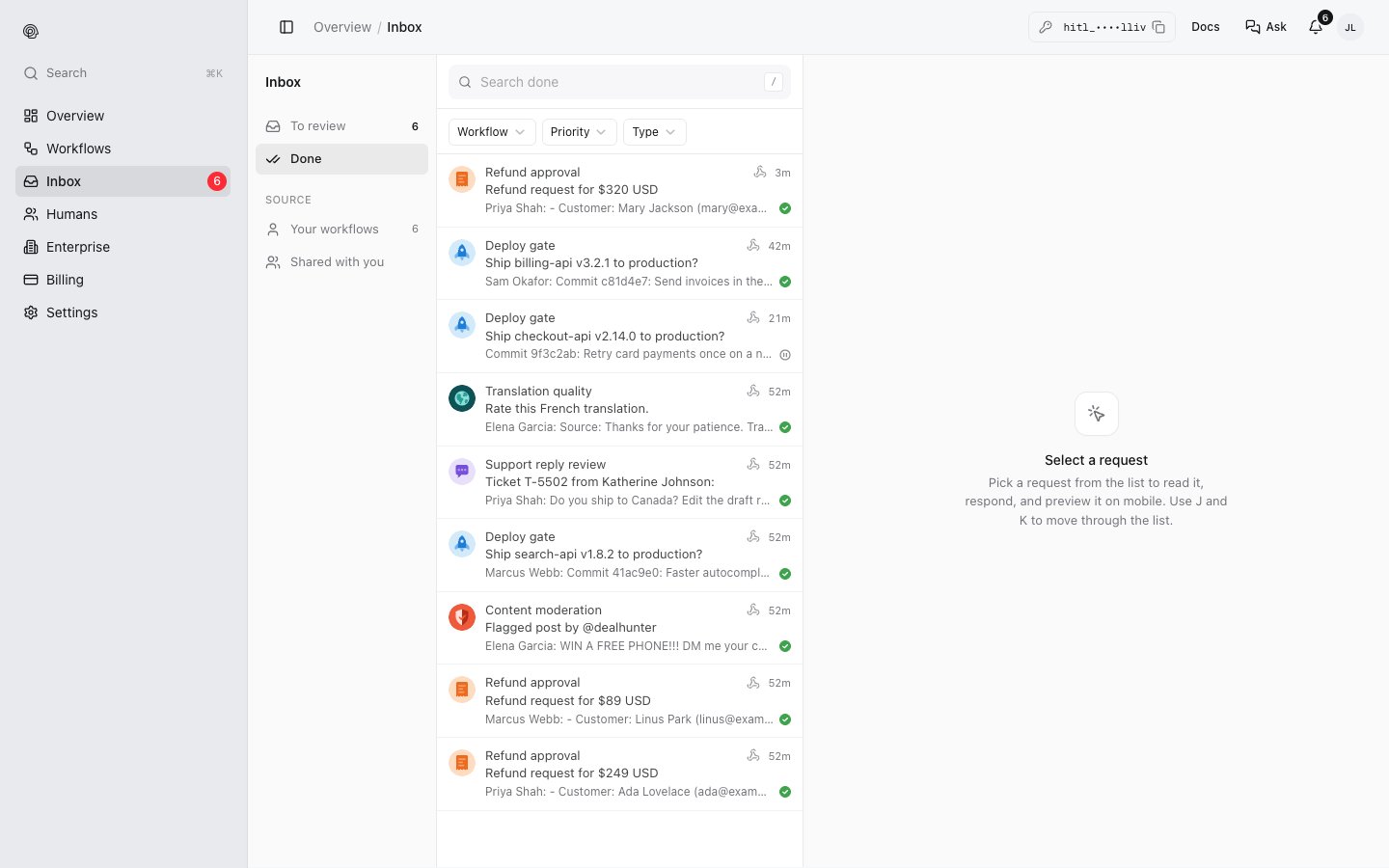
Other places to answer
- The HITL mobile app sends a push notification for each request.
- The Telegram mini app works inside Telegram.