

1. Copy the prompt
In my.hitl.sh, Overview → Copy setup for your agent. The copied prompt includes your API key; on screen it is masked. See what gets copied shows the text first.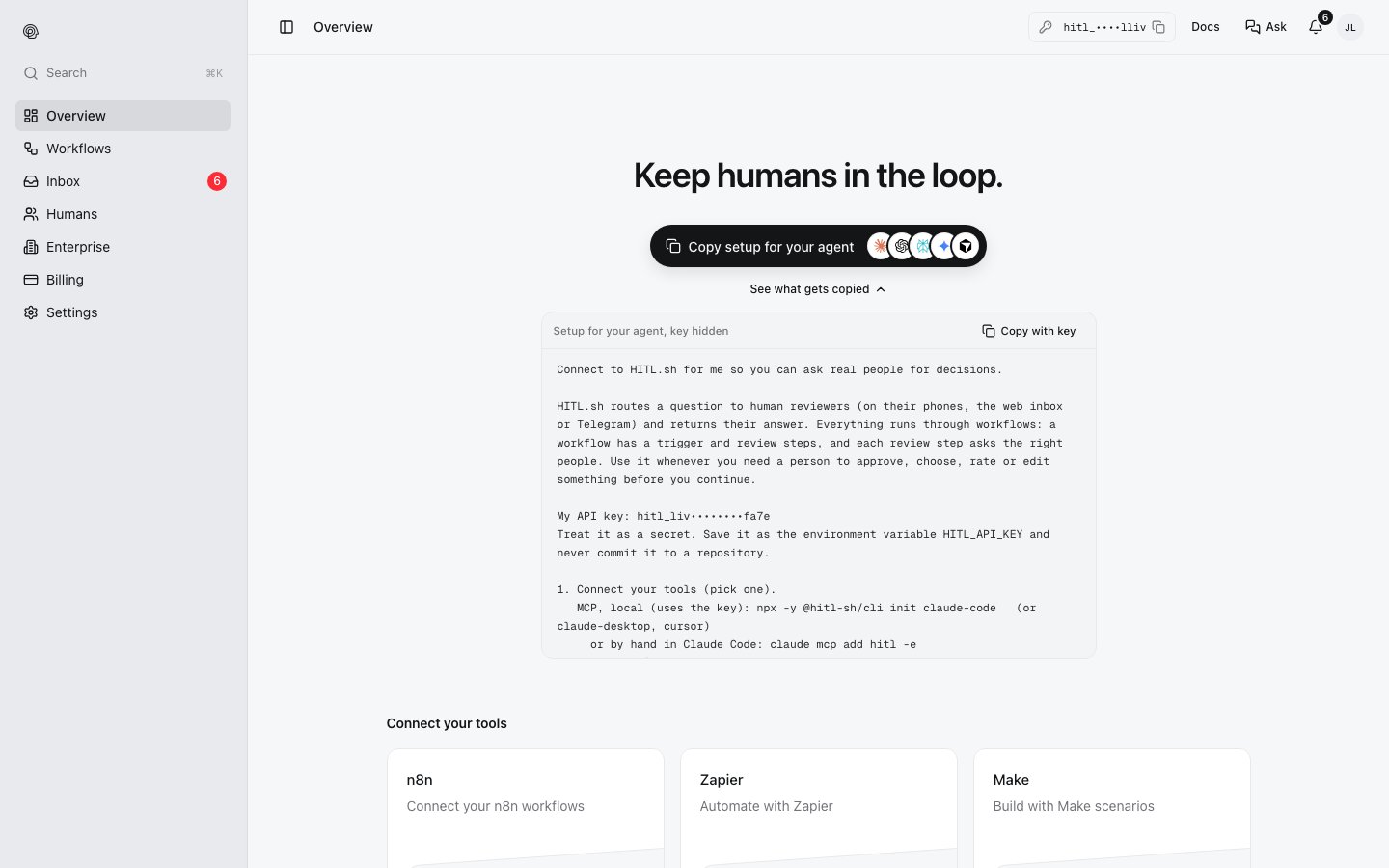
2. Paste it into your agent
The prompt tells the agent to:- Get an API key. Use yours, or sign you up with your email:
npx -y @hitl-sh/cli signup --email <your email>, then ask you for the 6-digit code and runnpx -y @hitl-sh/cli signup confirm <code>. It keeps the key inHITL_API_KEY. - Connect a tool, one of:
- MCP, local:
npx -y @hitl-sh/cli init claude-code(orclaude-desktop,cursor), orclaude mcp add hitl -e HITL_API_KEY=$HITL_API_KEY -- npx -y @hitl-sh/mcp - MCP, remote:
claude mcp add --transport http hitl https://mcp.hitl.sh/mcp, then/mcpto sign in - CLI:
npx -y @hitl-sh/cli --help - REST:
https://api.hitl.sh/v1/apiwithAuthorization: Bearer $HITL_API_KEY
- MCP, local:
- Work with workflows:
list_workflows,get_workflow_input,run_workflow, thenget_executionorwatch_executionuntil a person answers. To build one:create_workflow,invite_to_workflow(orcreate_workflow_join_code),activate_workflow. - Read
https://docs.hitl.sh/llms.txtfor the full reference.