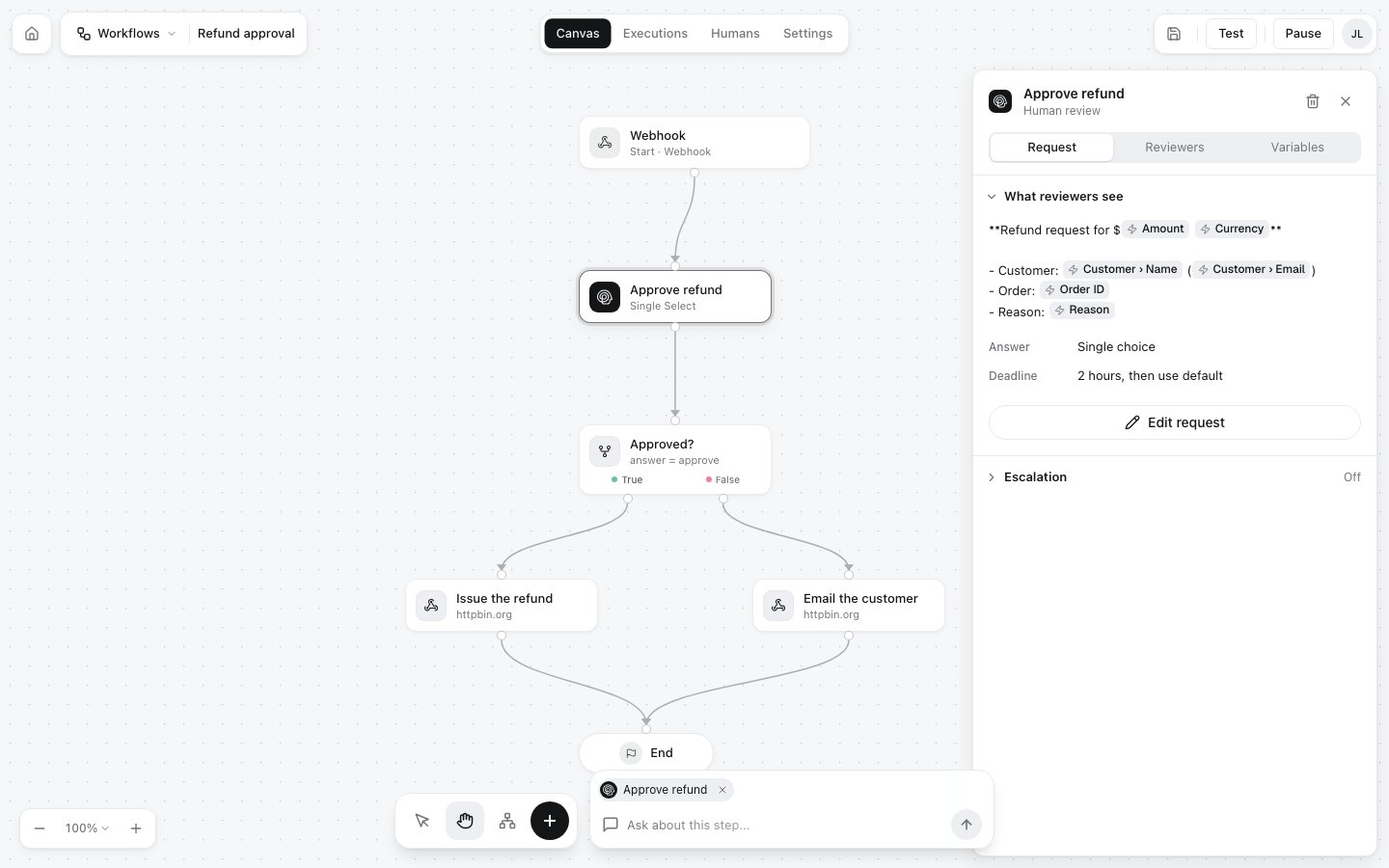
A review step (Human Review in the editor) pauses the run, sends a question to people, and continues with their answer. A workflow can have several, one after another or on different branches, for example a second approval for large amounts. Select a review step on the canvas to see its settings. The panel has three tabs: Request, Reviewers and Variables.
The Approve refund review step selected on the canvas, with its Request tab open: what reviewers see, the answer type Single choice, the deadline 2 hours then use default, an Edit request button and Escalation off

The request

Click Edit request to change what reviewers see:
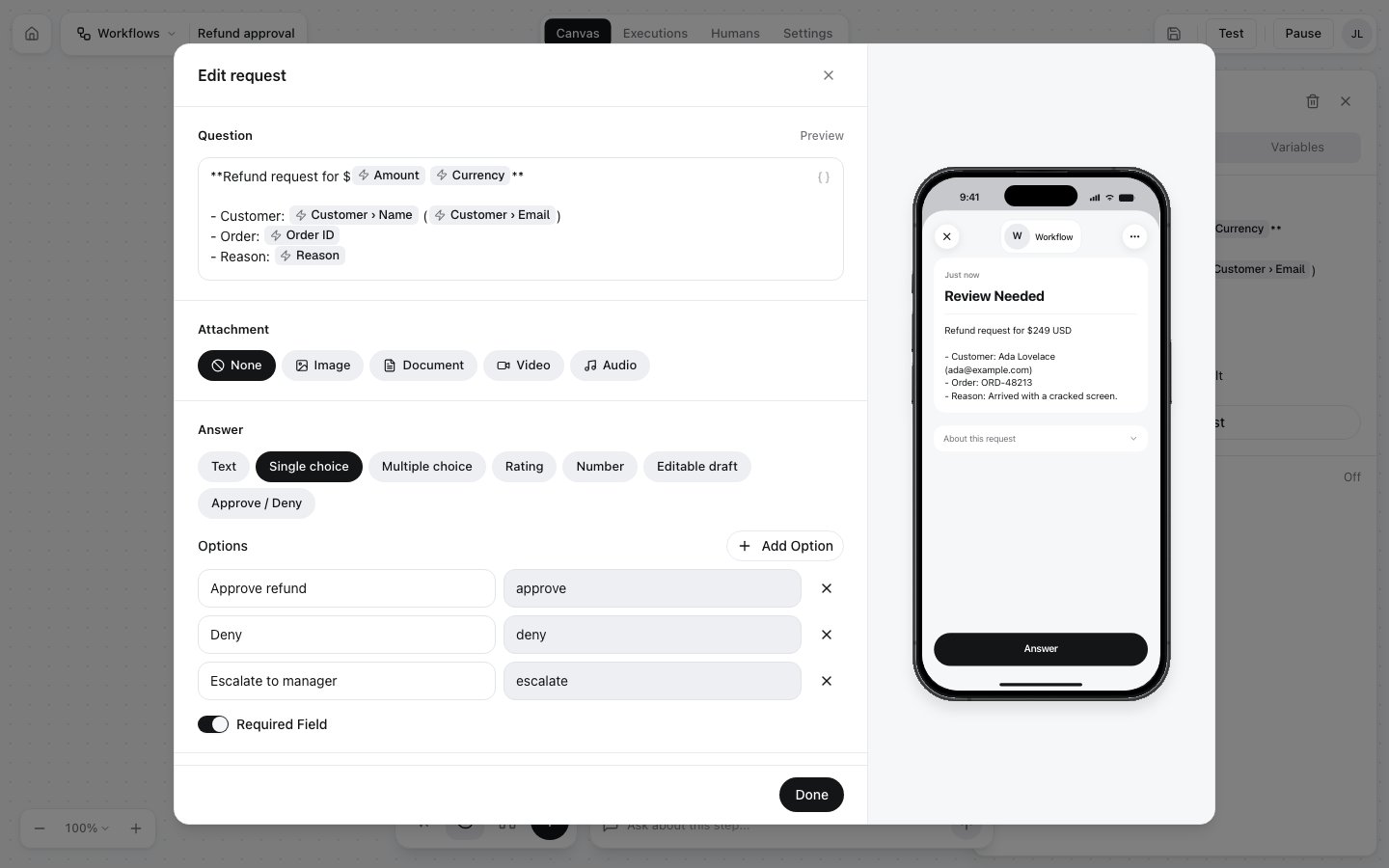
The Edit request dialog with the question, attachment choices None, Image, Document, Video and Audio, answer types Text, Single choice, Multiple choice, Rating, Number, Editable draft and Approve / Deny, the options list, and a live phone preview

What the answer looks like

The execution records each answer in decisions and the last one in result:

Reviewers
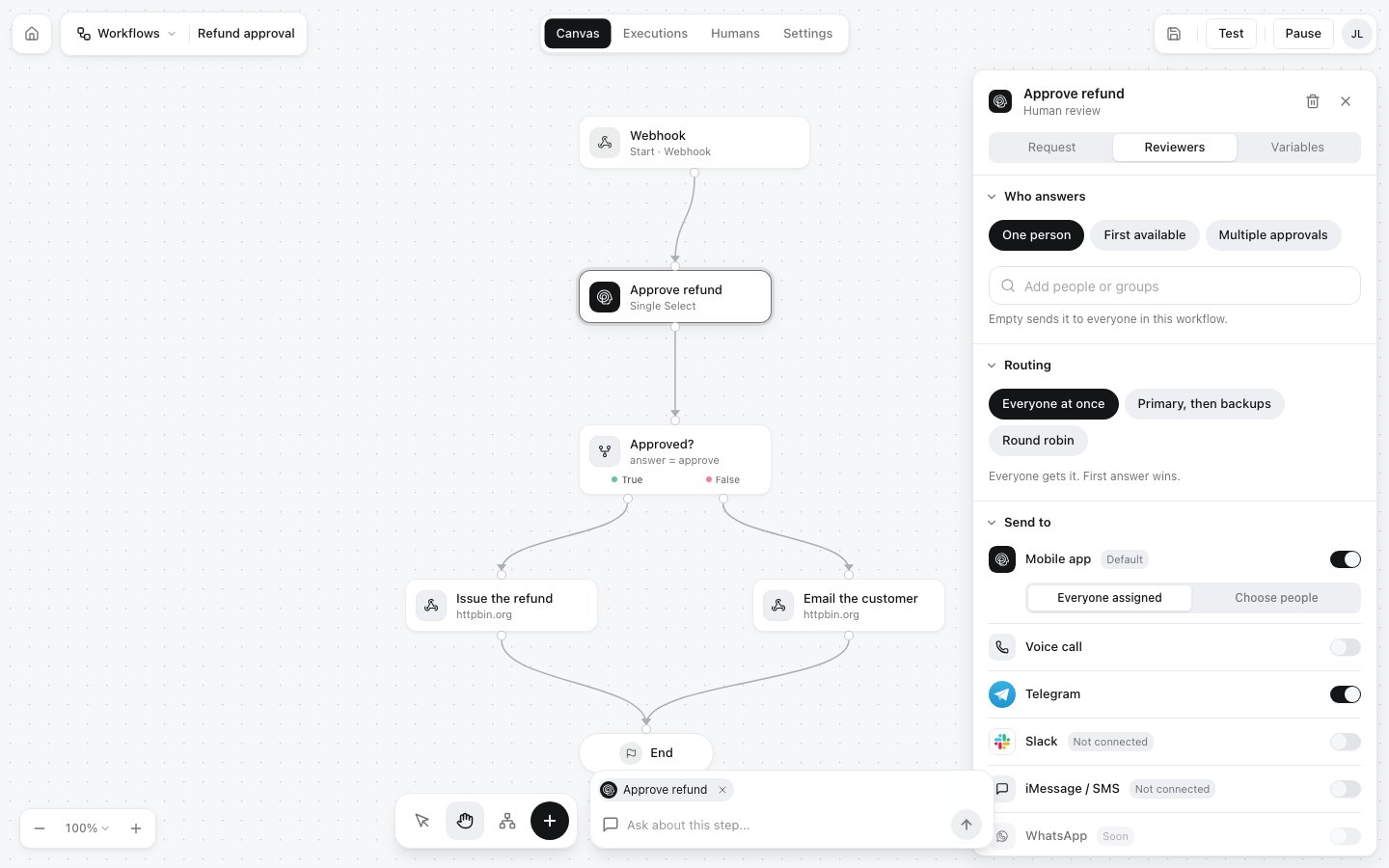
The Reviewers tab of a review step: Who answers with One person, First available and Multiple approvals; an Add people or groups field; Routing with Everyone at once, Primary then backups and Round robin; and Send to with Mobile app on, Voice call, Telegram on, Slack, iMessage / SMS and WhatsApp

Escalation

With Escalation on, a request nobody answers in time goes to someone else instead of timing out.

What the run looks like while it waits

While a review step waits, the execution is pending_review and waiting_for holds the question as reviewers see it:

Answer types

Settings for each kind of answer

Reviewers

People, groups, invitations and join codes